
Just the article
Nabu strips ads, menus, and popups from every saved page — leaving only what you actually want to read.
A calm reading library for iOS
Nabu turns any web page into a clean, ad-free article you can read at your own pace or have read aloud. Organize it into collections, and keep it forever — even offline.
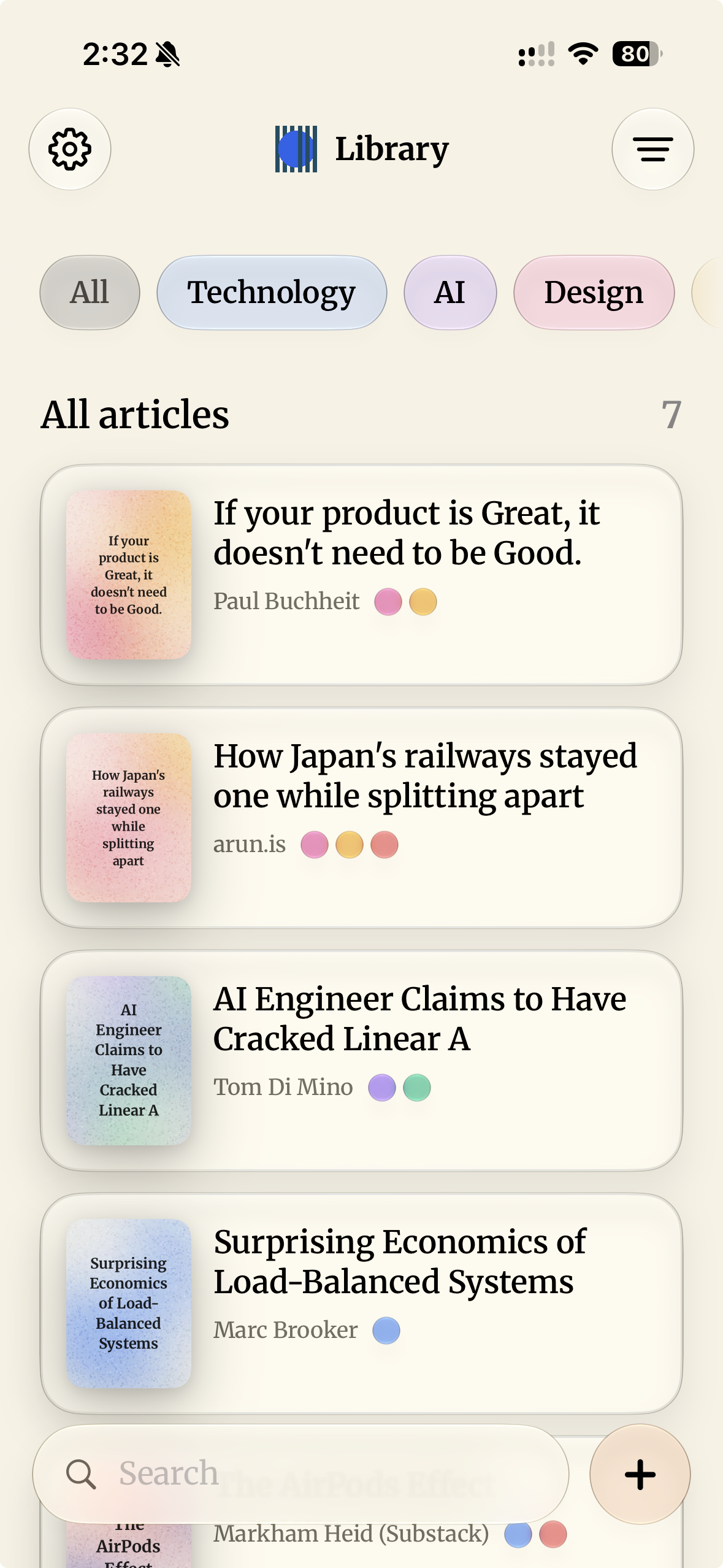
Everything in one library
No tabs, no popups, no noise. Just the words and pictures, the way the author intended.
Nabu strips ads, menus, and popups from every saved page — leaving only what you actually want to read.
Use the Nabu Safari extension to save any webpage directly — even articles that need a login.
Turn any article into natural-sounding audio and listen on the go. Playback starts the moment it's ready.
Sort saved articles into collections, tag them with your own categories, and find them again in seconds.
Paste a URL, share text, or import an image, PDF, or document. It all flows through the same clean pipeline.
Once an article is extracted and its audio generated, you can read and listen offline forever — even if you cancel.
Three taps, one library
Tap the Safari share button and pick Nabu. The page is captured exactly as you see it — logged-in and all.
The article is extracted into clean markdown, with headings, lists, links, and images preserved — no clutter.
Open it whenever you like, or hit play and let Nabu read it to you. Both stay available offline.
Made for listening
Nabu generates natural-sounding speech for your saved articles and streams it in chunks so playback starts almost instantly. Pick the voice you like, set your speed, and listen on your commute, at the gym, or while you cook.
Start free
Each credit turns a cluttered web page into a clean article — or generates its audio. Re-read or re-listen as often as you like, on us.
Questions
Any article, blog post, or essay. Paste a URL, share from Safari, or import an image, PDF, or document — Nabu extracts just the words and pictures into clean markdown.
Yes. Turn any saved article into natural-sounding audio and listen on the go. Audio is generated once, streamed in chunks for near-instant playback, and stays available offline.
Yes. The Safari extension captures the page exactly as you see it in your browser, so articles you're logged into are imported without sending the URL back to fetch the page.
Once an article is extracted and its audio generated, you can read and listen offline forever — even if you cancel your plan.
No. Nabu strips ads, menus, and popups from saved articles, leaving only what you actually want to read.
Nabu is built for iPhone with SwiftUI and SwiftData, and syncs your library across your devices with iCloud.
Save what's worth reading. Come back to it whenever you're ready.
Download Nabu for iPhone